

ProjectionLab vs Boldin (2026): Which Retirement Planner Fits You?
ProjectionLab is the better fit for early retirement, FIRE, and detailed tax modeling. Boldin is the better fit for a traditional US retirement where you want guidance and linked accounts. ProjectionLab Premium costs $129 a year, you enter every number by hand, and it works outside the US. Boldin PlannerPlus costs $144 a year, pulls in your balances automatically, walks you through Social Security and Roth conversion decisions, and only models US rules. Both have a free tier, and both run Monte Carlo simulations. The difference that matters most is how each one keeps your plan up to date.
ProjectionLab vs Boldin at a glance
| ProjectionLab | Boldin | |
|---|---|---|
| Paid plan | Premium, $129/yr | PlannerPlus, $144/yr |
| Free plan | Basic (doesn’t save your plan) | Basic (saves your plan) |
| Free trial on paid plan | Yes | 14 days |
| Account linking | No (manual entry; third-party plugins) | Yes, on PlannerPlus |
| Monte Carlo | Yes, including free | Yes, PlannerPlus |
| Historical backtesting | Yes, including free | Not a headline feature |
| Roth conversions | Premium, with an optimizer since v4.6 (April 2026) | PlannerPlus (Roth conversion explorer) |
| Early-retirement extras | ACA subsidies, withdrawal shielding, capital gains harvesting | Fewer |
| NIIT and AMT | Modeled | Not modeled |
| Documentation | Tooltips, videos, and an active Discord; no manual | Help center, live classes, Boldin AI |
| Outside the US | Currencies plus tax presets for Canada, UK, Australia, Germany, Netherlands | US only |
| AI assistant | None | Boldin AI, unlimited on PlannerPlus |
| Human help | None built in | $3,200 CFP plan review, live classes |
Prices are from ProjectionLab’s pricing page and Boldin’s pricing page, checked September 2026. Boldin was called NewRetirement until September 2024; same product, same free tier, and the paid plan is now PlannerPlus.
The feature rows are closer than they look. Both run Monte Carlo. Both model Roth conversions. Both handle Social Security, multiple scenarios, and tax estimates on the paid tier. If you picked either one at random, you’d get a competent retirement plan.
The row that actually separates them is account linking, and it matters more than any feature on either pricing page.
The real difference: how the plan stays true
A retirement plan is a model of your life built on a few dozen inputs: balances, contributions, spending, income, dates. The math on top is the easy part now. Both of these tools do it well. The hard part is that the inputs start going stale the day you type them in. Your balances move every day. Your spending drifts. You get a raise and forget to update the plan.
Call it input rot. A beautiful Monte Carlo run on last year’s numbers is a precise answer to a question you no longer have.
ProjectionLab and Boldin made opposite bets here.
ProjectionLab bet on privacy and control. It doesn’t link to financial accounts at all. You type in your balances and assumptions, and nothing about your real accounts leaves your hands. For a lot of FIRE planners, that’s the point: they don’t want another company holding bank credentials, and they want to model hypotheticals rather than mirror their current accounts. The cost is that keeping the plan current is your job. A manually updated plan is a sourdough starter. It stays alive exactly as long as you keep feeding it, and most people stop feeding it by March.
Boldin bet on convenience. PlannerPlus pulls in your balances through account aggregators, so at least the starting numbers stay current without you doing anything. The cost is the usual one for linked accounts: a third party has read access to your finances, and connections occasionally break.
Neither bet is wrong. They’re built for different temperaments.
Which is easier to set up?
ProjectionLab, by a wide margin, if you want a first answer today. Boldin, if you want every input accounted for.
ProjectionLab’s sandbox drops you into a pre-built plan for an example persona in about a minute, with no account. You then swap the persona’s numbers for yours. The interface is the better-looking of the two and most reviews say so; it’s built to be poked at, with sliders and scenario toggles that redraw the chart as you move them.
Boldin is a long form. PlannerPlus advertises more than 250 inputs, and the plan gets better the more of them you fill in: state of residence, each account’s tax treatment, Social Security claiming age for each spouse, Medicare timing, pension details. That’s the point of Boldin, and it’s also why the first session takes an evening rather than a coffee break. Boldin AI, its plain-language assistant, is the company’s answer to that: ask “when can I securely retire?” instead of hunting for the chart.
If you enjoy detail, Boldin’s form is a feature. If you want to test an idea before committing to an evening of data entry, start in ProjectionLab’s sandbox.
One caveat that cuts the other way. ProjectionLab has no user manual. Help comes from tooltips, tutorial videos, and a Discord where the developers answer questions quickly. Boldin has a proper help center, live classes, and the AI assistant. In a long Bogleheads thread comparing the two, one trial user gave up on ProjectionLab for exactly this reason and said they “simply never get stuck in Boldin.” If you like to read the docs before you touch the tool, that’s a point for Boldin.
ProjectionLab: best for early retirement and flexible modeling
ProjectionLab is the planner FIRE people recommend to each other. It’s built around modeling many possible futures: career changes, sabbaticals, moving countries, going part-time, retiring at 42. The what-if tooling is the most flexible in this category.
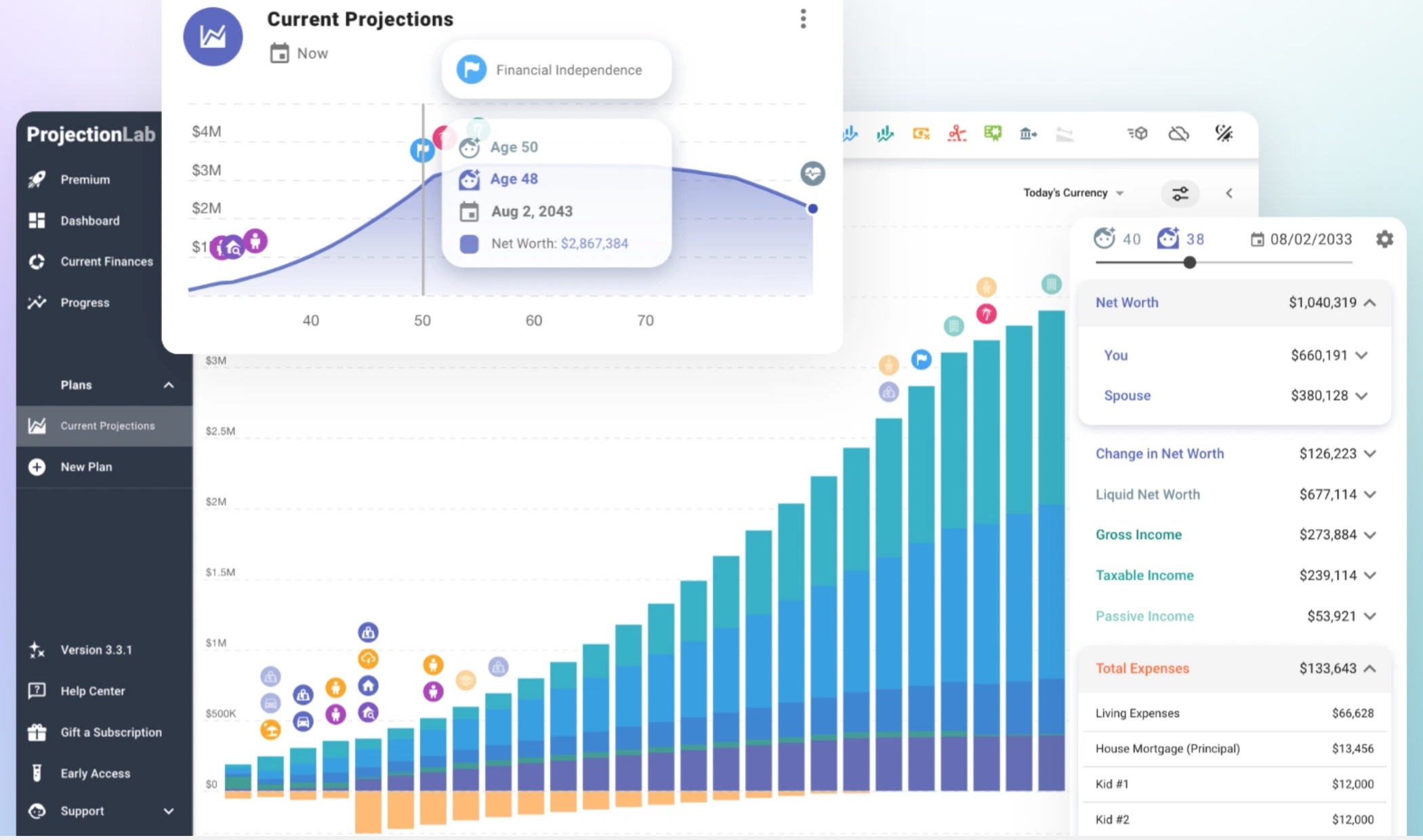
The free Basic plan is unusually generous on features. You get forecasting, Monte Carlo simulation, and historical backtesting against past markets. The catch is that Basic doesn’t save your plan. Close the tab and it’s gone. That makes Basic a very good demo and a poor place to keep a real plan.
Premium adds the parts early retirees actually need: tax estimation, withdrawal strategies, a Roth conversion and tax strategy optimizer (new in April 2026), ACA subsidy modeling (a big deal if you’ll buy health insurance before Medicare at 65), capital gains harvesting, compare mode, multiple plans, and international planning with tax presets for Canada, the UK, Australia, Germany, the Netherlands, and others.
If you want your real balances in there without typing, third-party plugins can sync data from Lunch Money, YNAB, and Monarch Money. Those are built by outside developers, not ProjectionLab.
Best for: Early retirees, FIRE planners, anyone outside the US, and anyone who wants maximum modeling flexibility without linking accounts.
Pricing: Basic is free (plans aren’t saved). Premium is $129/year with a free trial. Pro, for financial advisors, is $549/year. projectionlab.com
Boldin: best for a guided traditional US retirement
Boldin is built for people planning a retirement in their 60s who want to get the tax and income decisions right: when to claim Social Security, whether to do Roth conversions, how to draw down multiple accounts.
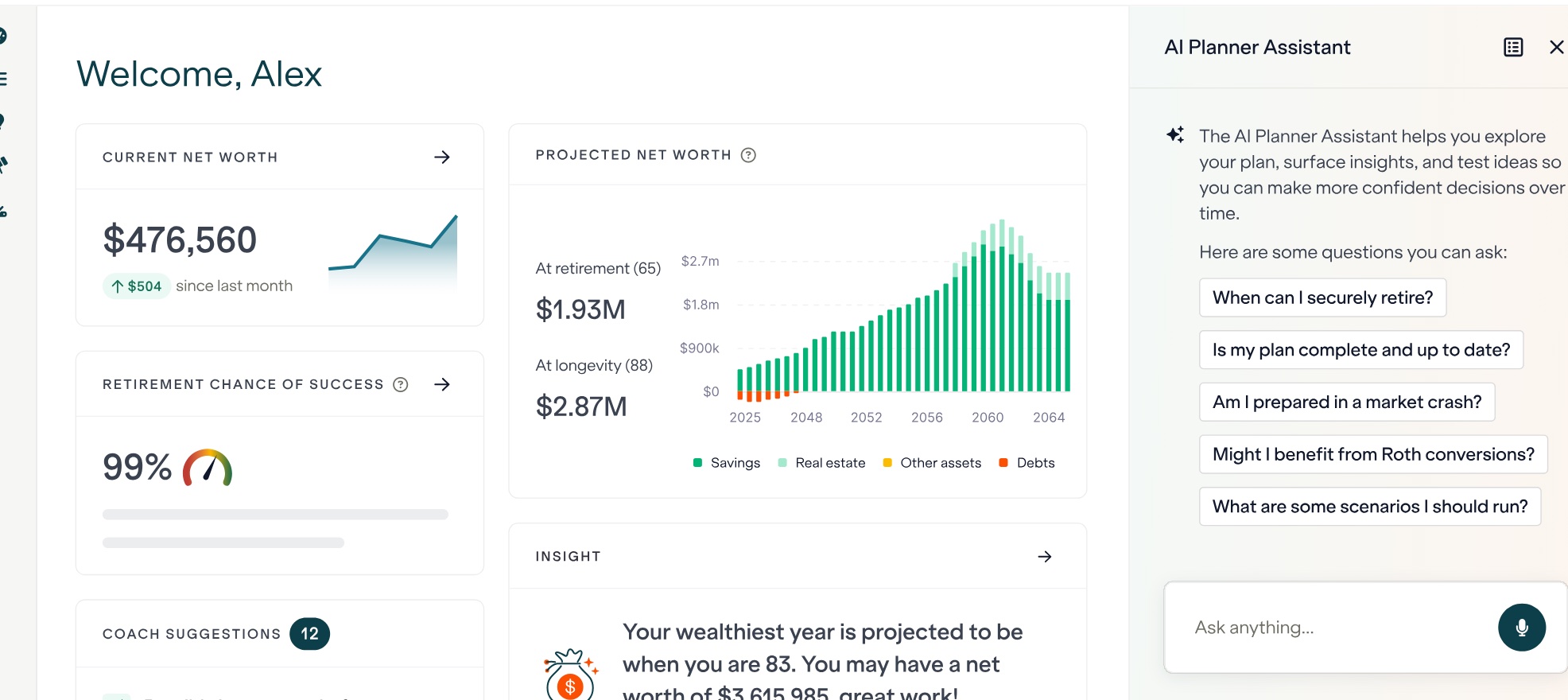
The free Basic plan builds and saves a real plan and runs what-if scenarios. PlannerPlus is where the serious tools live: the Roth conversion explorer, state and federal tax projections, Monte Carlo analysis, multiple saved scenarios, account linking, detailed budgeting and income planning, unlimited Boldin AI, and access to live classes.
Boldin also offers something ProjectionLab doesn’t: humans. A one-time retirement plan review with a CERTIFIED FINANCIAL PLANNER professional costs $3,200 as a flat fee. That’s a lot next to a $144 subscription, and much less than a year of a percentage-of-assets advisor on a large portfolio.
The limit to know about is geography. Boldin models US Social Security, Medicare, and US federal and state taxes, and nothing else. If you’re Canadian, British, or planning to retire abroad, its tax engine has nothing to say about your situation.
Best for: US residents within 10 to 20 years of a traditional retirement who want to be walked through Social Security and Roth conversion decisions, with linked accounts or the option of professional help.
Pricing: Basic is free. PlannerPlus is $144/year with a 14-day free trial. The CFP plan review is a $3,200 flat fee. boldin.com
Which is better for FIRE and early retirement?
ProjectionLab. Its modeling of ACA subsidies and capital gains harvesting is built for the 20-year gap between leaving work and Medicare, and its flexibility suits plans with part-time years, sabbaticals, or a move abroad. Boldin can model an early retirement, but its strongest tools are aimed at people retiring closer to 65.
If you’re still working out which kind of early retirement you want, our FIRE variants guide compares Lean, Fat, Coast, and Barista FIRE, and the Coast FIRE calculator gives you a quick first number before you build a full plan.
Which is better for Roth conversions and taxes?
This is where the reputations are most out of date. Boldin’s Roth conversion explorer has been its best-known feature for years: pick a target (lowest lifetime taxes, a tax or IRMAA bracket, highest estate value) and it proposes a conversion schedule. Until this spring, ProjectionLab only evaluated conversions you typed in yourself.
Version 4.6, released April 20, 2026, changed that. ProjectionLab Premium now has a tax strategy optimizer: you target a federal bracket, an IRMAA cliff, an ACA subsidy limit, or an income threshold, and it runs Roth conversions, withdrawal shielding (pulling from tax-free sources once you hit the target), and capital gains harvesting against that target, opportunistically, year by year. For an early retiree juggling ACA subsidies and a conversion ladder, that’s the more complete tool now.
Boldin’s tax engine also has documented holes worth knowing about before you trust a conversion plan from it. Its help center states that the Net Investment Income Tax and Alternative Minimum Tax are not included in the projections, and that the planner does not account for capital gains tax on real estate sales. NIIT starts at $200,000 of income for single filers and $250,000 for joint filers, and those thresholds aren’t indexed to inflation, so a large taxable account will hit it eventually. ProjectionLab models both.
If you’re a traditional retiree filling low brackets before required distributions start and you don’t have a big taxable portfolio, Boldin’s explorer is still the more guided experience. If taxes are the whole reason you’re paying for a planner, ProjectionLab 4.6 is ahead.
Why the two give different answers for the same inputs
People who run both report a surprise: same balances, same growth rate, same spending, and ending net worth that differs by around 25%. That isn’t a bug in either tool. It’s the assumptions under the hood, and most of them are documented if you go looking:
| Assumption | ProjectionLab | Boldin |
|---|---|---|
| Dividends | Reinvested or paid to cash flow, your choice | Always reinvested |
| NIIT and AMT | Modeled | Not modeled |
| RMDs across several accounts | Aggregated per IRS rules | Drawn from one account until empty, then the next |
| Real estate sale | Commission, basis, and the home sale exclusion applied | Gross proceeds transferred, no capital gains |
| Inflation | One core rate; each item can track, lead, or lag it | Four rates: general, medical, Social Security COLA, housing |
| Growth rate changes | Any number, drawn on a chart | Once per account |
If your plan has a large taxable account, a home you’ll sell, or several pre-tax accounts, these differences compound over 30 years. Pick the tool whose assumptions match your situation, and don’t read a gap between two planners as one of them being broken.
What neither one models well
Worth knowing before you pay for either, since the ranking review sites skip this:
- Variable withdrawal strategies. Both assume you withdraw a fixed (inflation-adjusted) amount. If you plan to spend more in good years and less in bad ones (guardrails, VPW, or any percentage-of-portfolio rule), neither tool represents that, and their Roth optimizers are then optimizing for a withdrawal pattern you won’t follow.
- Survivor Social Security edge cases. An older spouse dying before the younger one reaches 60 takes manual workarounds in both.
- Annuities with period-certain guarantees. Single-life SPIAs with a 10-year certain period need kludging in both. Pralana handles these if that’s central to your plan.
None of these are dealbreakers for most people. They’re the reasons some Bogleheads keep a spreadsheet next to whichever planner they pay for.
The free plans
Both free tiers are worth trying before paying, but they’re useful for different things.
ProjectionLab Basic has the better simulation features (Monte Carlo and historical backtesting) and saves nothing. Use it to see whether the way ProjectionLab thinks matches the way you think.
Boldin Basic has fewer features and saves your plan. Use it if you want a simple plan you can come back to without paying.
How to choose
You’re aiming to retire early → ProjectionLab.
You’re retiring in your 60s and want a guided Roth conversion plan → Boldin.
Taxes are the whole point, and you have a large taxable account → ProjectionLab 4.6. Boldin skips NIIT.
You live outside the US → ProjectionLab. Boldin’s tax engine is US only.
You don’t want to link your accounts → ProjectionLab.
You want balances pulled in automatically → Boldin.
You want a first answer in ten minutes → ProjectionLab’s sandbox.
You might want a human to check your plan → Boldin, for the $3,200 CFP review.
You want the best free option to keep → Boldin Basic, since it saves.
Whichever you pick, the plan is only as good as your spending estimate. Our retirement spending guide covers what research says about how spending actually changes after you stop working.
A third approach to input rot
I built Bonsave’s early retirement planner around the input rot problem. It runs on the accounts you’ve already connected, derives your savings from your real income and categorized spending, and simulates 500 market paths drawn from history back to 1928 to find the earliest age you can stop working. Then you commit to a plan and it tracks whether your real net worth is running ahead or behind.
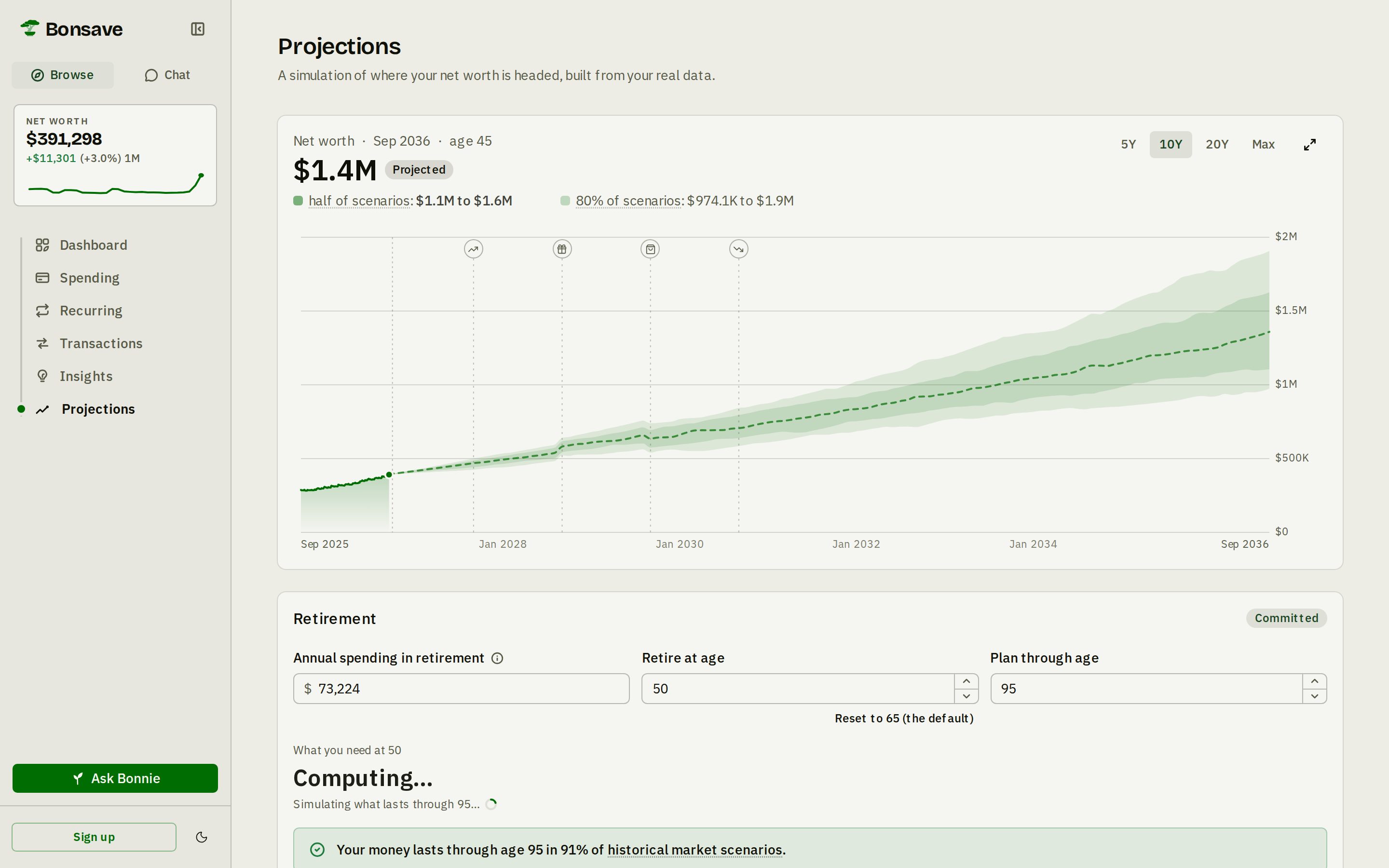
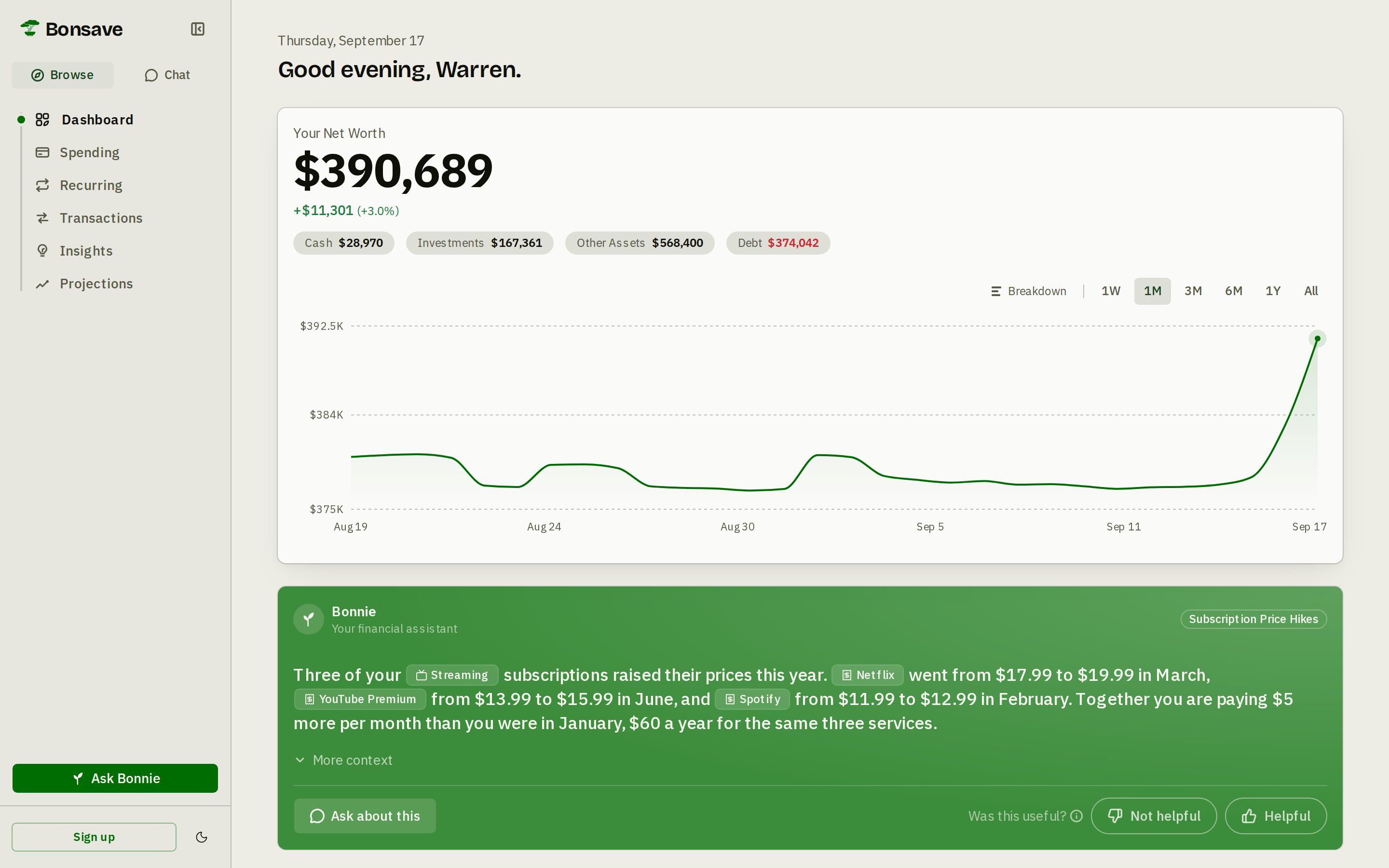
It’s less configurable than either planner here: it doesn’t have ProjectionLab’s modeling depth or Boldin’s Roth conversion explorer. It costs $7 a month with a 14-day free trial, and it also handles budgeting and net worth, so it isn’t one more app to feed. The screens above are from the live demo, which runs the real Projections screen on sample data with no account and no signup: move the retirement age, add a life event, and watch the simulation redraw. If that trade sounds right after poking at it, try it free for 14 days. I’m obviously biased about which one.
Frequently asked questions
Is ProjectionLab or Boldin better?
ProjectionLab is better for early retirement and FIRE planning, detailed tax modeling, people outside the US, and people who don't want to link their accounts. Boldin is better for a traditional US retirement near a normal retirement age, guided Social Security and Roth conversion decisions, and people who want balances pulled in automatically. ProjectionLab Premium costs $129 a year and Boldin PlannerPlus costs $144 a year.
Does ProjectionLab link to your bank accounts?
No. ProjectionLab doesn't support linking financial accounts directly, and you enter balances by hand. Third-party plugins can sync data from Lunch Money, YNAB, and Monarch Money. Boldin PlannerPlus does link accounts through account aggregators.
Does Boldin work outside the US?
Not really. Boldin is built around US Social Security, Medicare, and federal and state taxes, and has no modeling for Canadian, UK, or other countries' retirement accounts and taxes. ProjectionLab supports multiple display currencies and includes tax presets and account types for Canada, the UK, Australia, Germany, the Netherlands, and more.
Does ProjectionLab's free plan save your data?
No. ProjectionLab's free Basic plan lets you build a plan and run forecasts, Monte Carlo simulations, and historical backtesting, but it doesn't save your plan between sessions. Saving requires Premium at $129 a year.
Which is better for Roth conversions?
Both suggest a conversion strategy on their paid plans. Boldin's Roth conversion explorer optimizes toward a target such as a tax bracket, an IRMAA bracket, or estate value. ProjectionLab added a tax strategy optimizer in version 4.6 (April 2026) that targets a federal bracket, IRMAA cliff, or ACA subsidy limit and runs conversions, withdrawal shielding, and gain harvesting against it. Boldin does not model the Net Investment Income Tax or AMT, which matters for larger taxable portfolios.
Why do ProjectionLab and Boldin give different answers for the same inputs?
Because they make different assumptions underneath. Boldin always reinvests dividends, ignores NIIT and AMT, and draws RMDs from one account at a time; ProjectionLab tracks these differently. Users comparing the two on identical inputs have reported ending net worth differing by around 25%. Neither number is wrong. They answer slightly different questions.