One of the things I wanted when I started building Bonsave was the ability to just ask questions about my money and get real answers. Not generic advice. Answers based on my actual accounts, transactions, and portfolio.
We shipped AI chat inside Bonsave a few days ago. Today we’re going further.
Bonsave MCP
We’ve built a Model Context Protocol (MCP) server for Bonsave. That means you can now connect Claude Desktop (or any MCP-compatible AI client) directly to your Bonsave account and ask questions about your finances without ever opening the app. Oh and it’s basically unlimited. (we do limit to 500 requests per hour, if we’re being pedantic)
Install the server, point it at your Bonsave account, and Claude has full context: your net worth, recent transactions, spending by category, budget targets, portfolio holdings. Everything.
Then just ask:
- “How much did I spend on food last month compared to the month before?”
- “How much have I grown my investments this year?”
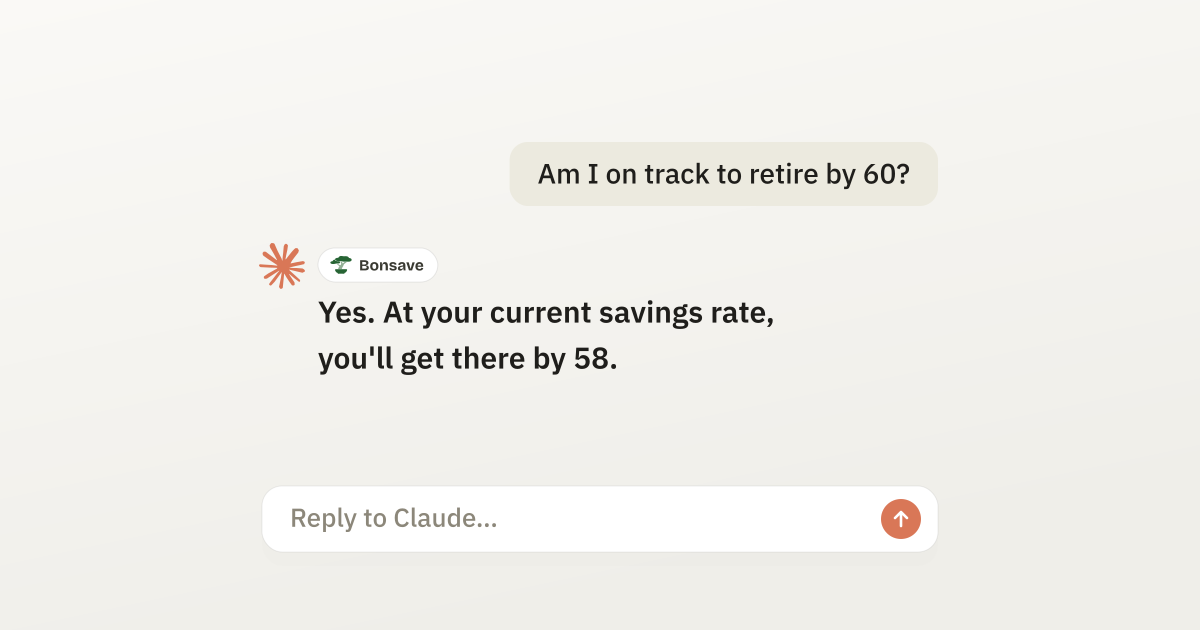
- “Am I on track to retire by 60?”
Claude answers with your real numbers, not hypotheticals. See more examples and a walkthrough on our MCP demo page.
Why MCP
The app is great for a daily check-in. Chat inside the app is great for focused questions. But sometimes you’re already in Claude working on something and you want a quick answer about your finances without context-switching. MCP closes that gap.
Your agents know things about you that Bonsave would never know. Your calendar, your email, your documents. With MCP, you can combine that context with your financial context for even richer insights. “Do I have the cash flow to cover the trip I’m planning next month?” “How does my spending this month compare to the same time last year when I was on vacation?”
Getting started
You’ll need a Bonsave account. All tiers support MCP.
Once signed up, head to Settings > Developer > MCP to grab your connection string and follow the setup instructions. It takes about two minutes and is a one-time process.
If you run into issues or have questions, let us know.